Insurance Verification statuses help you understand the current state of a verification request and identify the next action to take.
When a verification cannot be completed, RevenueWell displays a status message explaining why the request failed. Failed requests fall into one of five categories that indicate whether you can retry the request or if additional action is required.
Learn more about each insurance verification status below. ⬇️
Successful & In Progress Verifications
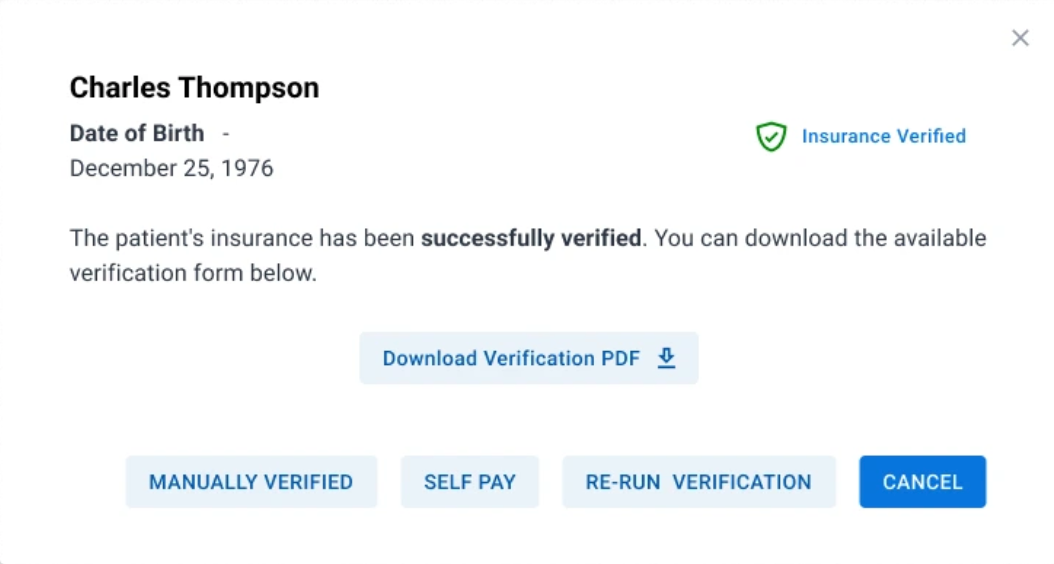
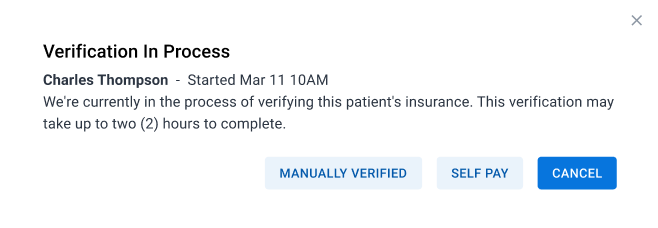
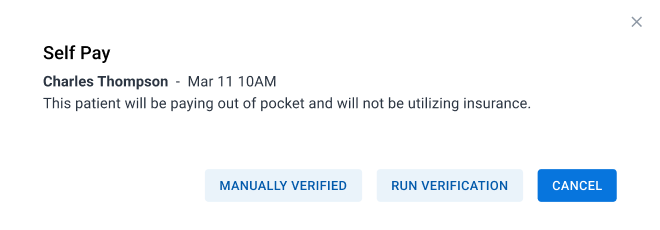
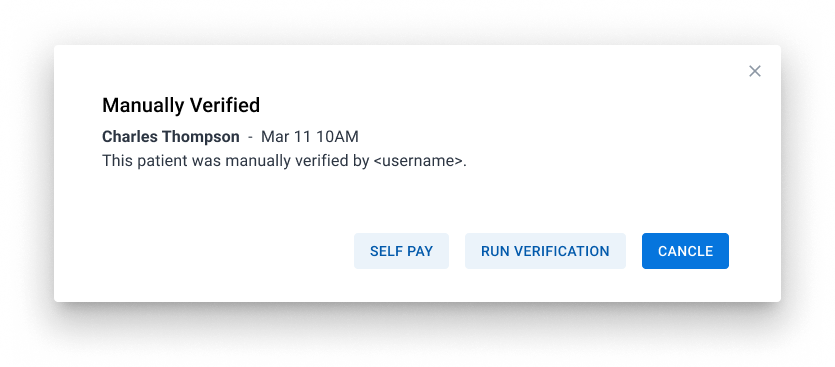
A variety of statuses indicate a successfully run, manually marked, or in-progress verification. These include:
Insurance Verified
Verification in Process
Self Pay
Manually Verified
Failed Verifications
Failed verification requests are grouped into five categories. For each, a message and instructions to resolve the specific issue will be shown.
Category #1 - Check the Patient's Details
Patient information doesn't match the insurer's records. These statuses will prompt you to check specific patient information and then allow for retry.
Reasons include:
- Member ID not recognized
- Subscriber not found
- Date of birth doesn't match
- Gender doesn't match
- Multiple member records found
- Patient not active in plan
- Patient identification rejected by carrier
- Patient profile is incomplete in our system
Category #2 - Temporary Problem
The insurer or clearinghouse is temporarily unavailable. For these statuses, it is recommended to wait a few minutes before retrying the verification.
Reasons include:
- The insurer didn't respond in time
- The clearinghouse had a server error
- Insurer temporarily unable to respond
- No response received from the insurer
- Too many requests right now (rate-limited)
- Insurer declined an immediate resubmission
- Verification briefly paused after repeated failures
- Insurer's website is under maintenance
- Saved login temporarily paused (cooldown)
Category #3 - Unexpected Error
An unexpected system error occurred. For these statuses, it is recommended to wait a few minutes before retrying the verification.
Reasons include:
- Other/Unspecified clearinghouse error
- The request couldn't be processed (malformed)
- The request couldn't be processed (invalid data)
- Cause not identified
- Any new/unrecognized error type
If the error persists, please contact RevenueWell Support.
Category #4 - Not Available for this Insurer
Automatic eligibility checks aren't supported by the insurer.
Reasons include:
- This insurer isn't supported for automatic checks
- This insurer isn't set up for automatic checks
Category #5 - Setup / Account Issue
A provider, practice, or credential configuration issue must be resolved.
Reasons include:
- Practice tax ID (TIN) not set up for this insurer
- Provider's NPI not registered with this insurer
- Provider not on file with this insurer
- Provider not eligible to submit inquiries to this insurer
- Provider enrollment or credentials issue
- Saved login for this insurer is invalid